Work schedule

Work schedule and time tracking: planned versus actual working time

A work schedule shows when employees are meant to work. Time tracking shows when they actually did. Here is how to make the two work together.

4 min read

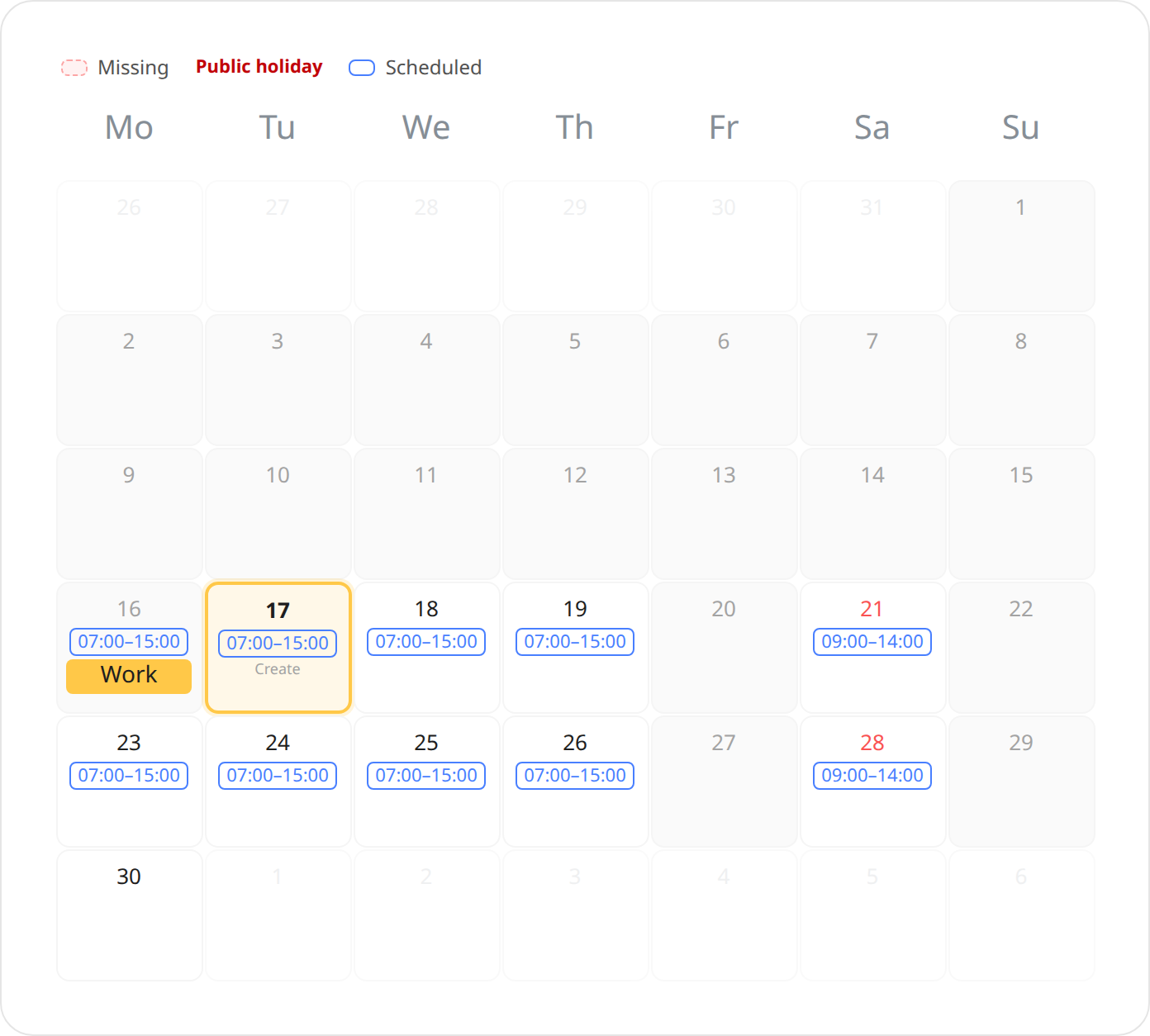
Time tracking calendar showing the shifts on each day together with the recorded time

It is tempting to use the work schedule as your time records: if Sam was scheduled from 7 to 15, surely he worked those hours? But a schedule is a plan. People get sick, swap shifts, go home early on a quiet day or stay late when it is busy.

Why they should be kept apart

Following a 2019 judgment of the EU Court of Justice, employers across the EU are generally expected to have a system that measures daily working time, under their country’s national rules. It is the actual working time that has to be documented. A schedule that automatically turns into time records risks showing what was planned instead of what happened.

But the plan can make recording time easier

The best of both worlds is to use the shift as a suggestion. When the employee records time on a day with a shift, the hours are already filled in. If it matches, the employee just saves. If the day went differently, they change the hours.

  • The employee sees their shift directly in the time tracking calendar.
  • The hours are suggested from the shift, but only saved when the employee creates the time entry.
  • Differences between plan and reality get recorded, so the records are correct.

Bring everyday people tasks together

Keep employee details, time tracking, vacation and key documents in one straightforward system.

Try for free

See shift scheduling and time tracking in one system

Related guides

All articles