Shift scheduling and time tracking
Planned and actual working time – in one place
The schedule shows when employees are meant to work. Time tracking shows when they actually did. In Weekplace the two are connected, so recording time takes a few seconds – and still reflects what really happened.
No payment to get started – every feature and every employee
€199 one-time · No subscription
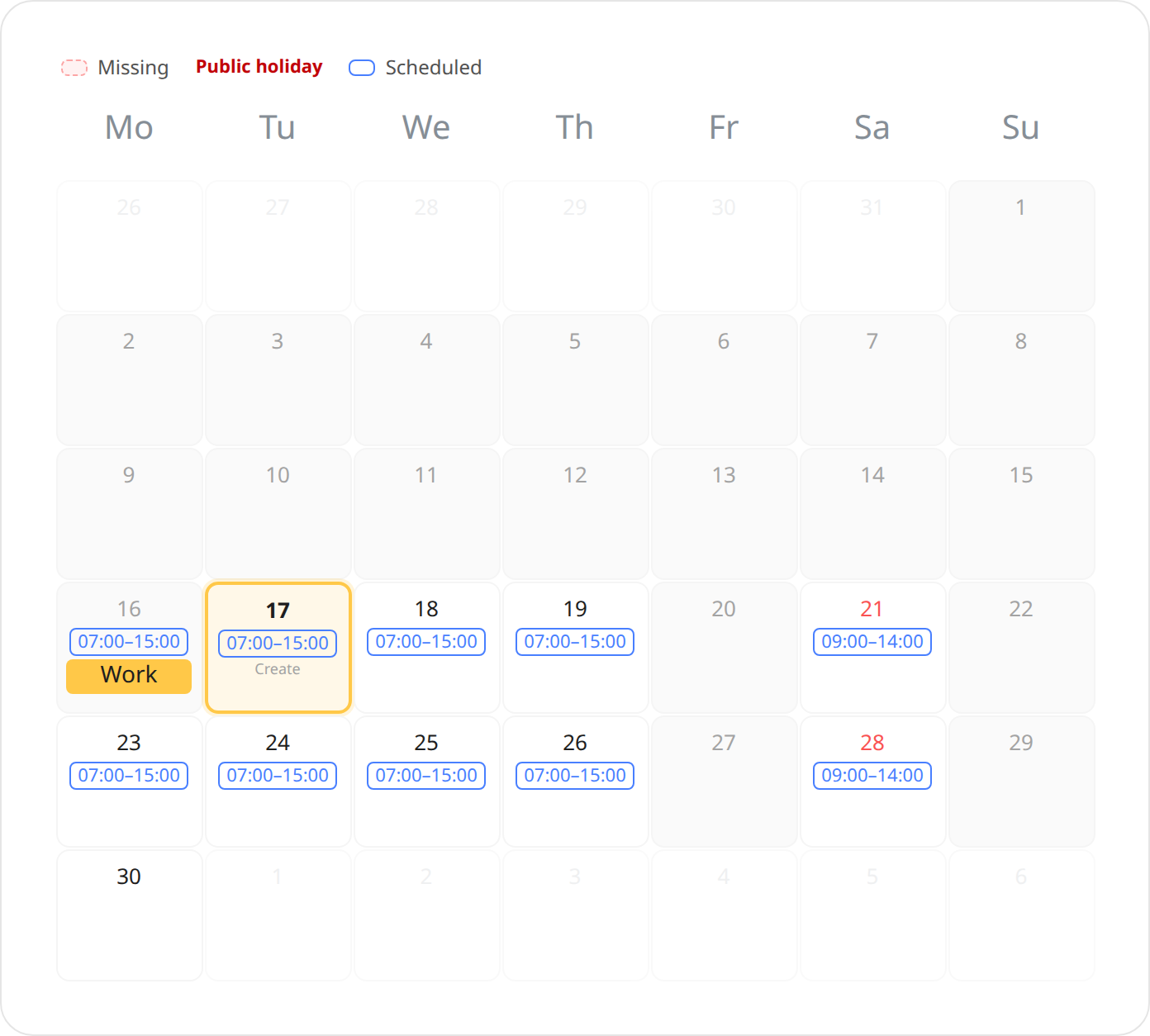
From shift to time record in four steps
- 1
You plan the week
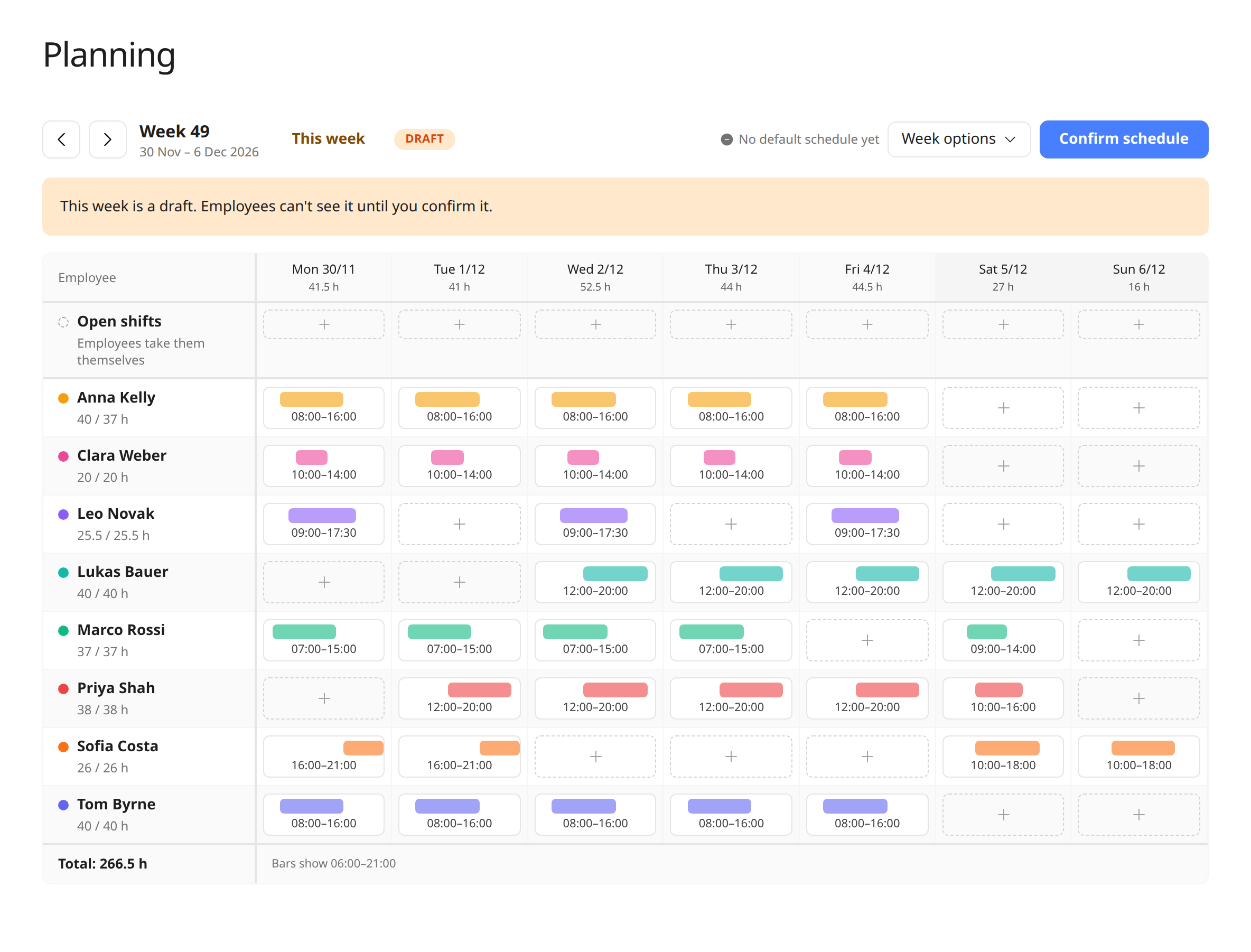
Shifts go into the weekly overview and are confirmed when the schedule is ready.
- 2
The employee sees their shift
The shift shows on that day in the employee’s time tracking calendar, e.g. “07:00–15:00”.
- 3
The hours are suggested
When time is recorded for the day, the hours are filled in from the shift. If they’re right, the employee just saves.
- 4
Differences are recorded
If the day went differently than planned, the employee corrects the hours. That way the record shows the actual working time.
Why the schedule isn’t time tracking
Since a 2019 ruling by the Court of Justice of the EU (case C-55/18), employers in the EU must have a system that records each worker’s daily working time. A schedule only shows what was planned – not sick days, swapped shifts or a day that ran longer than expected. That’s why Weekplace keeps the two apart, but lets the schedule make recording time faster.
| Topic | Shift schedule | Time tracking |
|---|---|---|
| What it shows | When the employee is meant to work | When the employee actually worked |
| Who makes it | The owner or an admin | The employee or their manager |
| When | Before the week – as a draft, then confirmed | The same day or shortly after |
| Legal requirements | Must respect the rules on rest and working time | Daily working time must be recorded and documented |
General information, not legal advice. EU member states bring the ruling into national law at different paces, and the 11-hour daily rest and 48-hour average week come from the EU Working Time Directive – check the rules in your country.
Plan the whole week on one screen
Put the shifts into the weekly overview, keep an eye on the hours per employee, and confirm the schedule when it’s ready. Employees only see confirmed weeks.
See all the features of shift scheduling.
Frequently asked questions
Does the schedule automatically turn into time records?
No, and that’s on purpose. The schedule is the planned working time. It’s the actual working time that must be recorded, so the shift is used as a suggestion when the employee records their time.
Is a schedule enough to meet the time tracking rules?
In the EU, employers are generally expected to have a system that records each worker’s daily working time. A schedule only shows what was planned, so the actual working time should be recorded – Weekplace makes that easy with suggestions from the schedule. Check the rules in your country.
Can a manager record time for an employee based on the shift?
Yes. When a manager or admin records time for an employee, the hours are also suggested from the employee’s confirmed shift.
What about employees on fixed schedules?
Employees with fixed working hours can still have their time recorded automatically from their fixed schedule. The shift schedule doesn’t change that.
Read the guide to shift scheduling and time tracking. Our article on planned versus actual working time explains the difference, and time recording requirements in the EU covers the rules.