Employee management
The whole employee file in one place
Personal details, employment, pay, equipment, emergency contact and documents for each employee – in the same system as time tracking. You decide who sees what.
No payment to get started – every feature and every employee
Included in Weekplace · €199 one-time · No subscription
Everything a small business needs to know about its employees
Employee management is made for businesses that have outgrown the spreadsheet and the folder in the cupboard but don’t need a big HR system.
Personal details
Name, email, birthday, first working day and address for each employee – in one place instead of in folders and emails.
Employment and contract
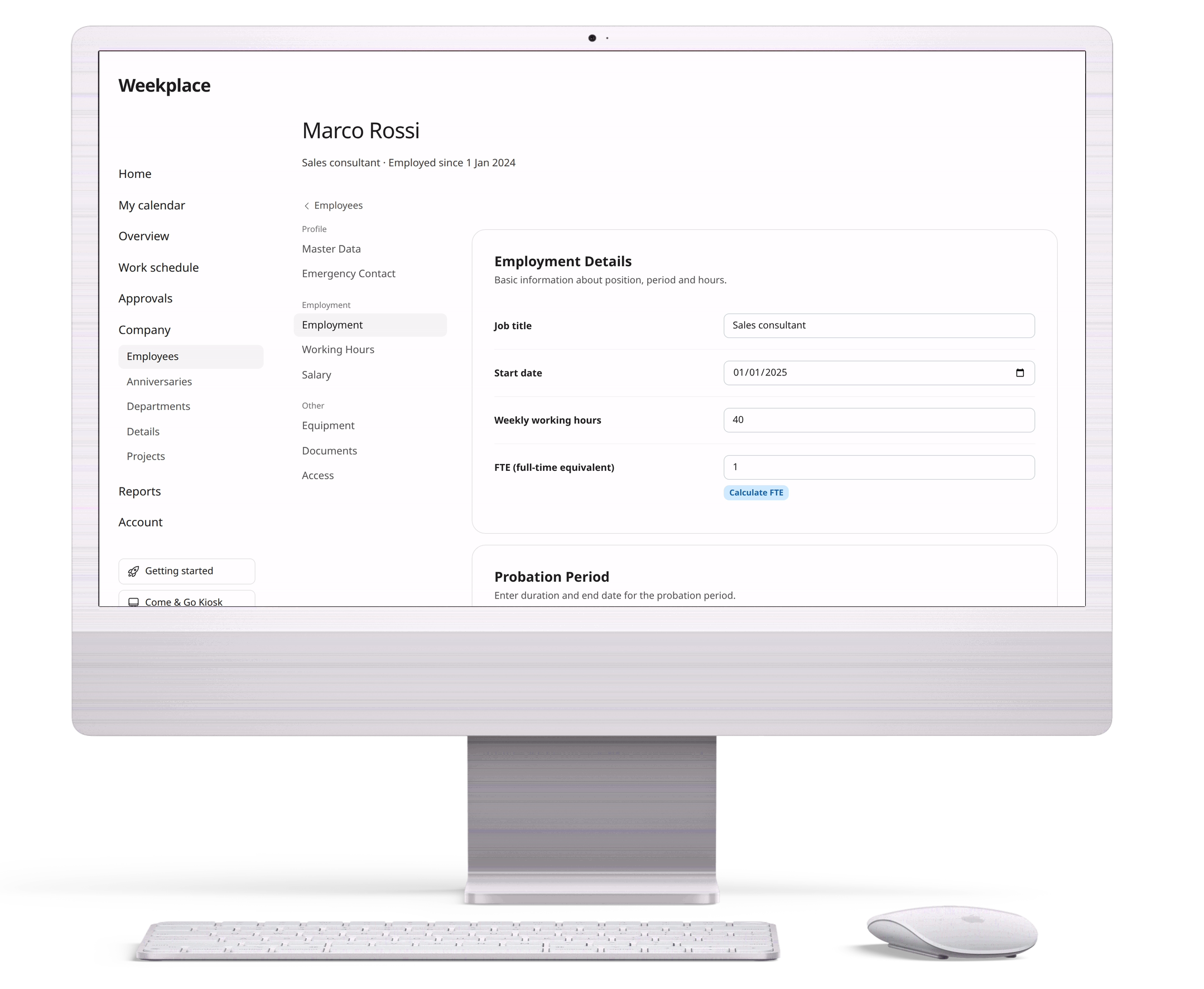
Job title, start date, weekly hours, probation period and end date. Upload the employment contract and addenda right on the employee.
Pay history
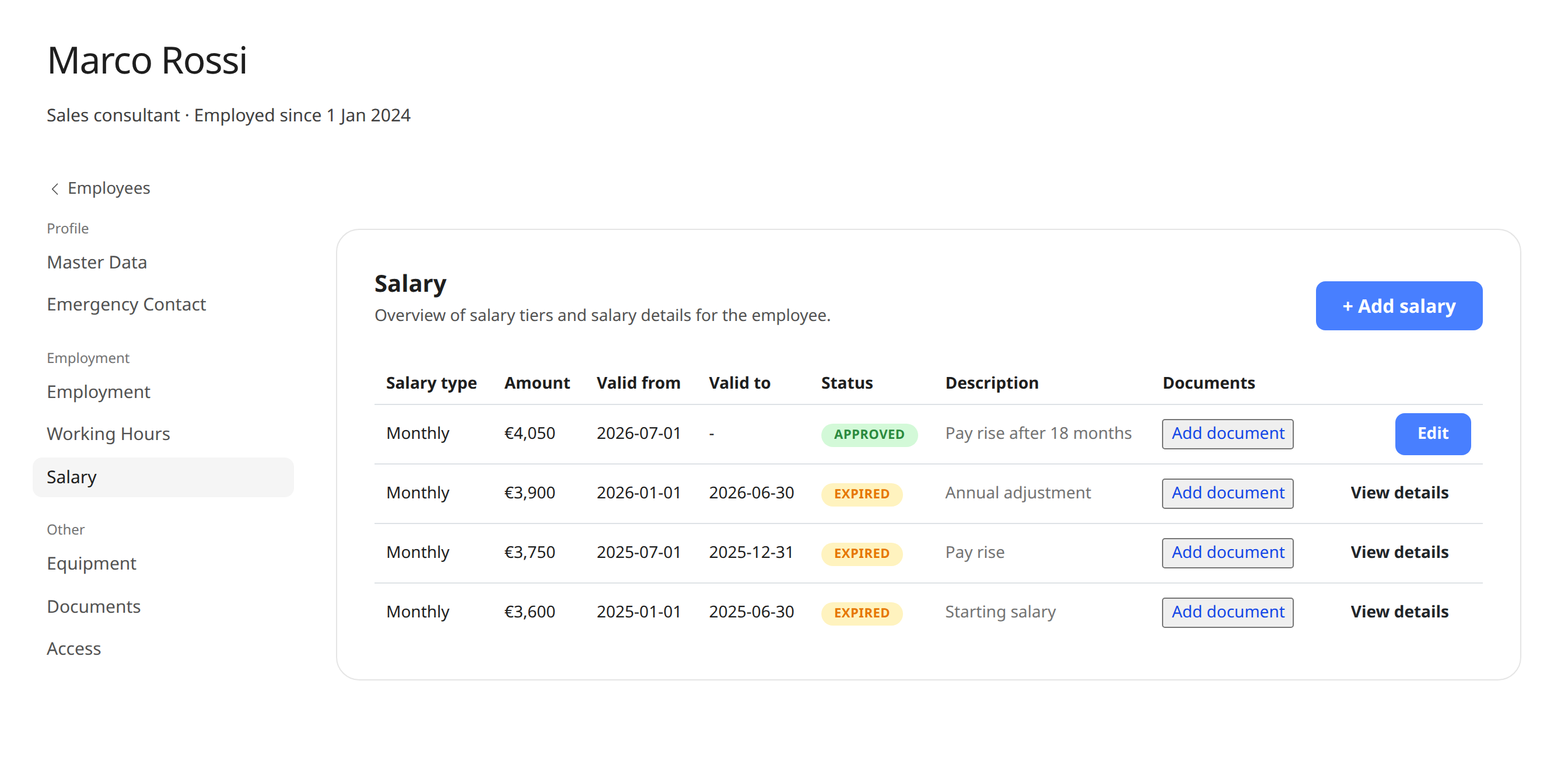
Monthly salary or hourly wage, pension and allowances, each with a validity period. Approved pay can’t be edited, so the history is kept.
Equipment
Register computers, phones, keys, access cards and other equipment with the date it was handed out and returned – including employees’ own equipment.
Documents
Store pay agreements and other documents on the employee. Employees can see and download their own documents from their profile.
Birthdays and anniversaries
See upcoming birthdays and work anniversaries for the whole company, so milestones are never forgotten.
Everything in one place
One app for time, absence, planning and HR
Replace spreadsheets, paper forms and scattered systems. Click through the features below to see how it works.
Time tracking the EU requires
Stop worrying about the EU rules on recording working time. Let Weekplace do the heavy lifting automatically from each employee's standard hours, or let employees check in and out themselves.
My calendar
Try it – click aroundWeek 43
37 hours
Hours are registered automatically from the standard working week. Employees only adjust when something changes.
- Automatic or manual time tracking
- Meets the EU working time rules
- Approval by managers when needed
Read more about Weekplace as a time tracking app and HR app.
Departments and org chart
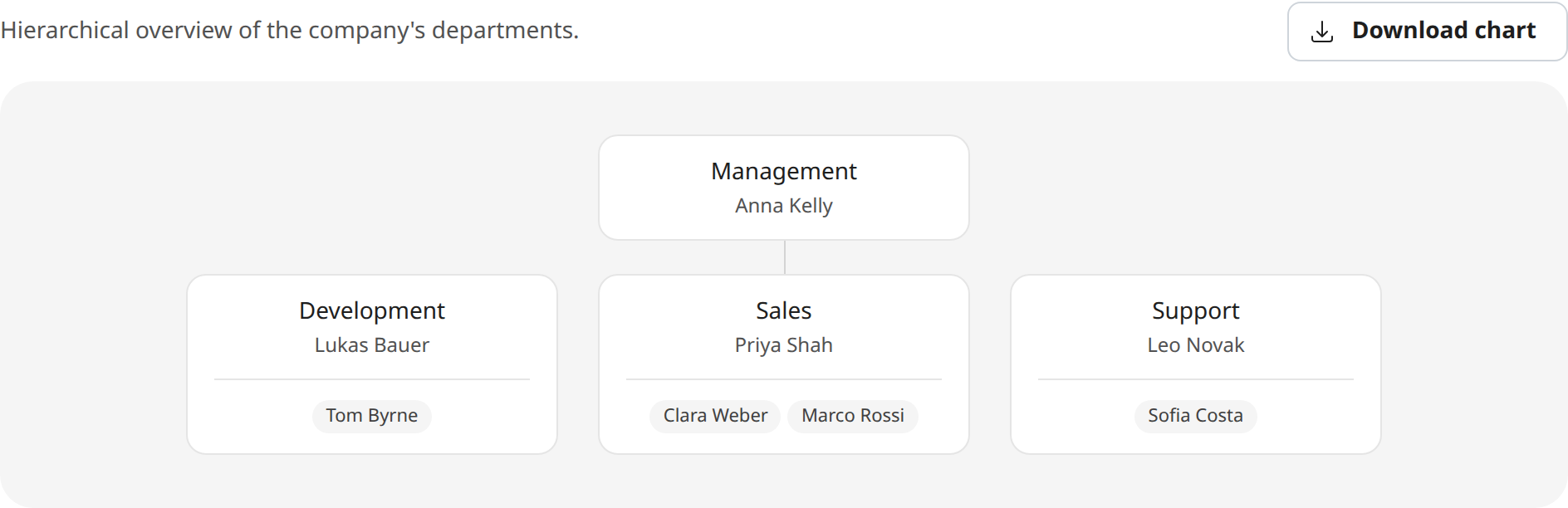
Create departments and sub-departments, give each department a manager, and place the employees. Weekplace draws the org chart for you, and you can download it as an image.
If you approve time entries, the department manager approves the entries for their department – without being able to see pay or documents.
Employment details together on the employee
Job title, start date, weekly hours, probation period and bank account are in one place, together with the employment contract and any addenda.
Pay is recorded as pay rates with a validity period. Once a pay rate is approved, a change becomes a new pay rate, so you can always see what the employee was paid when.
How it works
- 1
Add your employees
Add each employee with their name and email, and they can log in to Weekplace.
- 2
Fill in the employee file
Add employment, pay, equipment and documents as you have them. Nothing has to be in place from day one.
- 3
Employees see their own data
Under “My profile”, employees see their information, pay and documents and keep their personal details and emergency contact up to date themselves.
Employee data and time tracking in the same system
The working hours you set on the employee are used directly in time tracking. If the employee has fixed hours, working time is recorded automatically, and vacation and absence are in the same overview.
Read more about time tracking and emergency contacts, or see the whole HR app and our HR system for small businesses.
Included in Weekplace
€199
one-time · excl. VAT
- Employee data, time tracking, shift scheduling, vacation and absence
- Unlimited employees
- No subscription – access forever
No payment to get started
Frequently asked questions about employee management
What does employee management cost?
Employee management is part of Weekplace. You pay €199 excl. VAT once and get the whole system: employee data, time tracking, shift scheduling, vacation and absence. There is no subscription and no price per employee.
Who can see pay information?
The company’s owners and admins can see and change pay information. Each employee can see their own pay and download their pay documents, but not change them. Colleagues and department managers can’t see pay.
Can employees correct their own information?
Yes – their personal details, emergency contact and equipment. They can see their pay, documents and working hours, but only admins can change them.
What happens when an employee leaves?
You set an end date under employment. The information is kept, and you can still find the employee by showing former employees in the list.
Can I create departments and an org chart?
Yes. Create departments and sub-departments, give each department a manager, and place the employees. Weekplace draws the org chart, which you can download as an image.
Who can add and change employees?
The company’s owners and admins. You decide who is an admin, and everyone else is an employee who can only see their own data.
Get started with employee profile details and pay and documents, or write to us at support@weekplace.com. Or read our guide: What is an HR system?.