How to make a work schedule: a practical guide for small businesses
A good work schedule is clear, shared in good time and easy to change. Here is a simple approach that works for shops, cafés and other small workplaces.
5 min read
In many small businesses the work schedule lives in a spreadsheet, on a whiteboard in the back room or in a group chat. That works until someone follows an old version, a change gets lost in the messages, or nobody can remember how many hours a part-timer actually got last week.
1. Start with the need, not the people
First write down how many people you need at which times: opening, lunch, afternoon and closing. Only then assign employees. That way you quickly see gaps, or times where too many people overlap.
2. Keep an eye on hours per employee
Compare the planned hours with each employee’s agreed working hours. If a full-timer gets 30 hours or a part-timer gets 32, it is better to catch it in the plan than on the payslip.
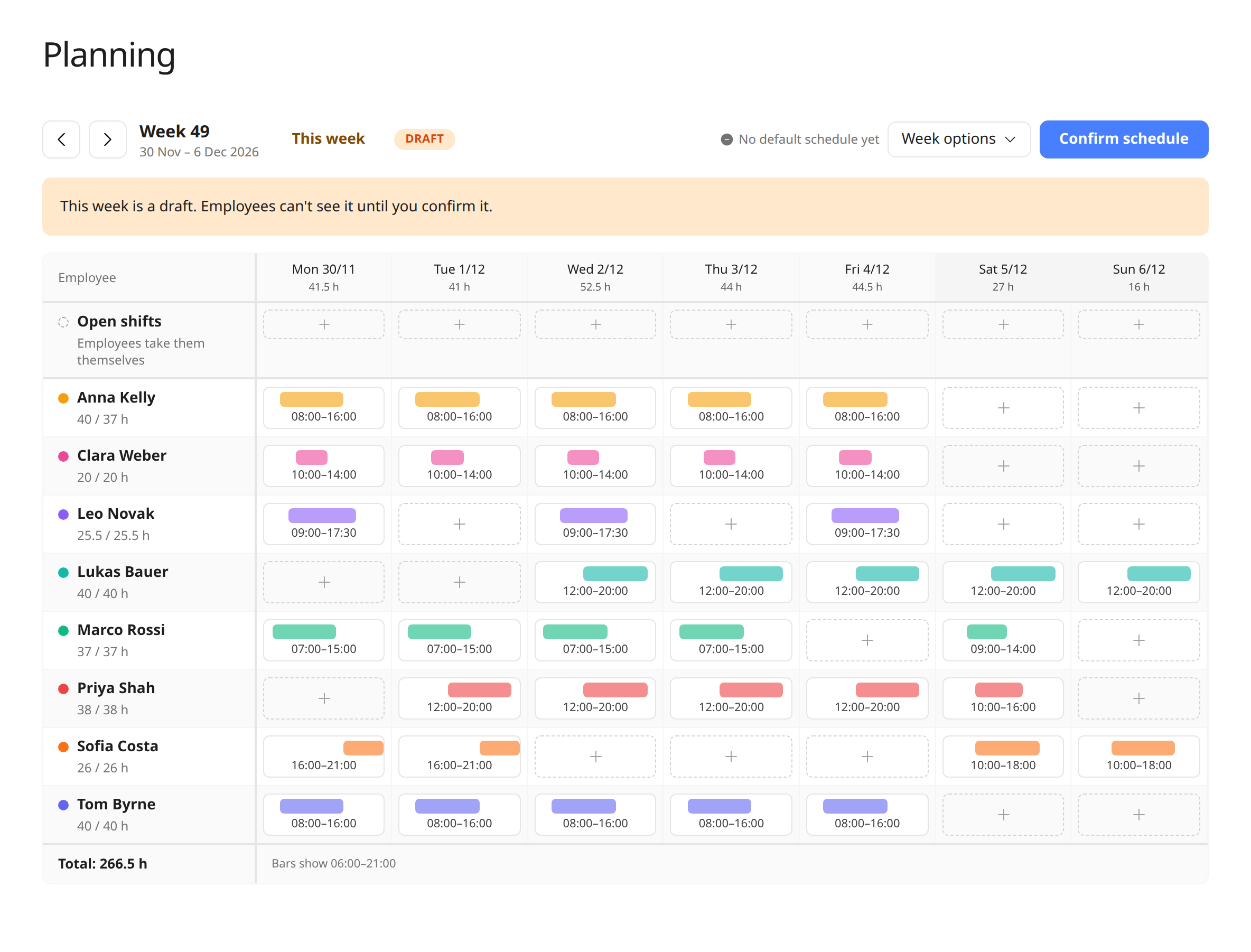
3. Draft it, and share it only when it is ready
A half-finished schedule causes confusion if employees see it too early. Work in a draft, check it, and then share it all at once. Agree a fixed deadline, for example that next week’s schedule is always ready by Thursday.
4. Reuse what repeats
Most weeks look alike. Start the week with a copy of the previous one and only change what is different: vacation, sickness, busy periods. It saves time and reduces mistakes.
5. One place for the current version
Everyone should see the same, up-to-date schedule, including on their phone.
Employees should see colleagues’ shifts, so they know who they work with.
Changes after publishing should be visible right away, so nobody follows an old plan.
Past weeks should be easy to find again if there is any doubt about who was working.
Frequently asked questions
How far in advance should a work schedule be ready?
It depends on national rules, collective agreements and what you have agreed with your employees. Many small businesses set a fixed deadline, for example that next week is ready by Thursday, so employees can plan their free time.
Can employees see each other’s shifts?
In Weekplace, all employees can see the confirmed shifts for the whole company in a calendar, and can choose to see only their own.
Should the work schedule be used as time records?
No. The schedule is the planned working time; it is the actual working time that should be recorded. In Weekplace, the shift suggests the hours when the employee records their time.
Bring everyday people tasks together
Keep employee details, time tracking, vacation and key documents in one straightforward system.
Do you have to record your employees’ working time? In the EU, generally yes. Here is what the 2019 EU Court of Justice judgment requires, how it links to the Working Time Directive, who may be exempt and how to choose a system.